Who Should Use the AppsFlyer Push API
Advertisers working with external data collection platforms. With the Push API, the Advertiser can send any install or event data to external systems by simply supplying their endpoint URL.
Setup

Estimated Time to Complete:
5 minutes
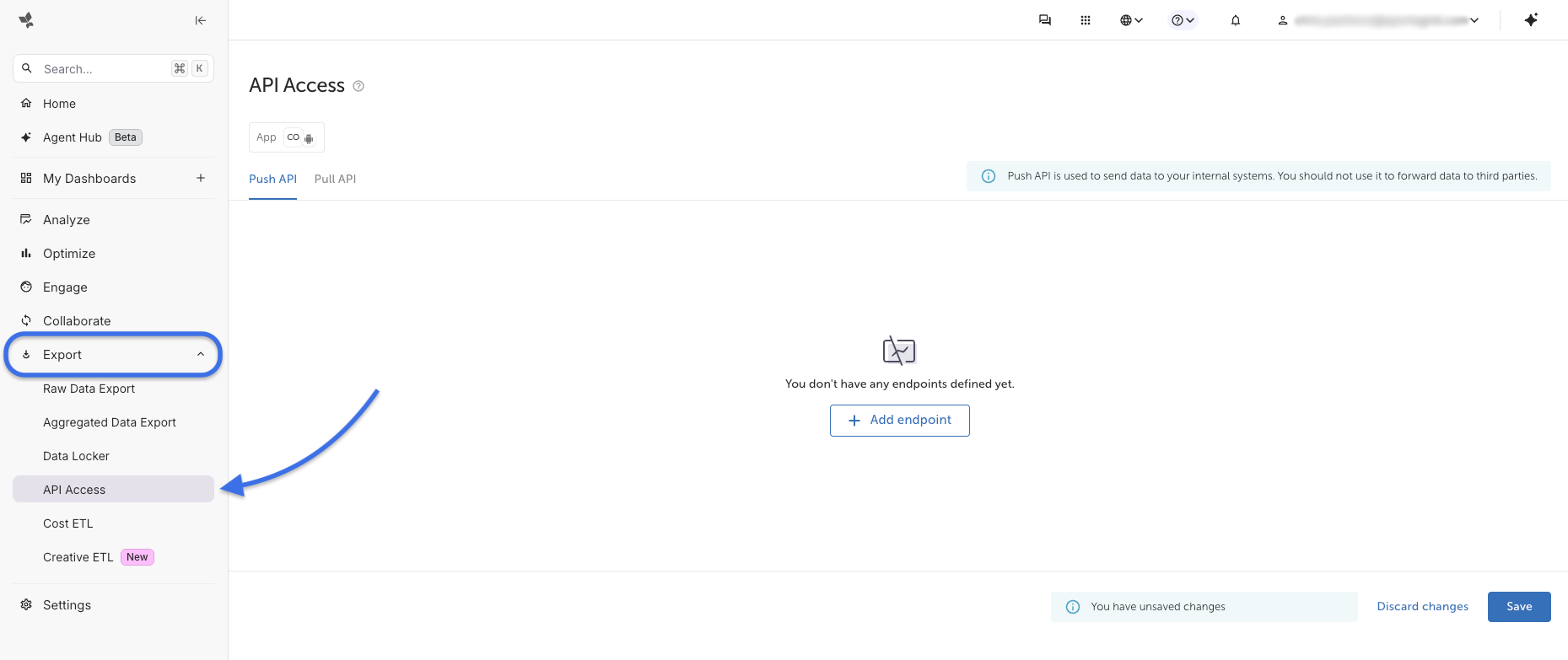
- On the AppsFlyer dashboard, from the left hand menu under Export, select API Access.
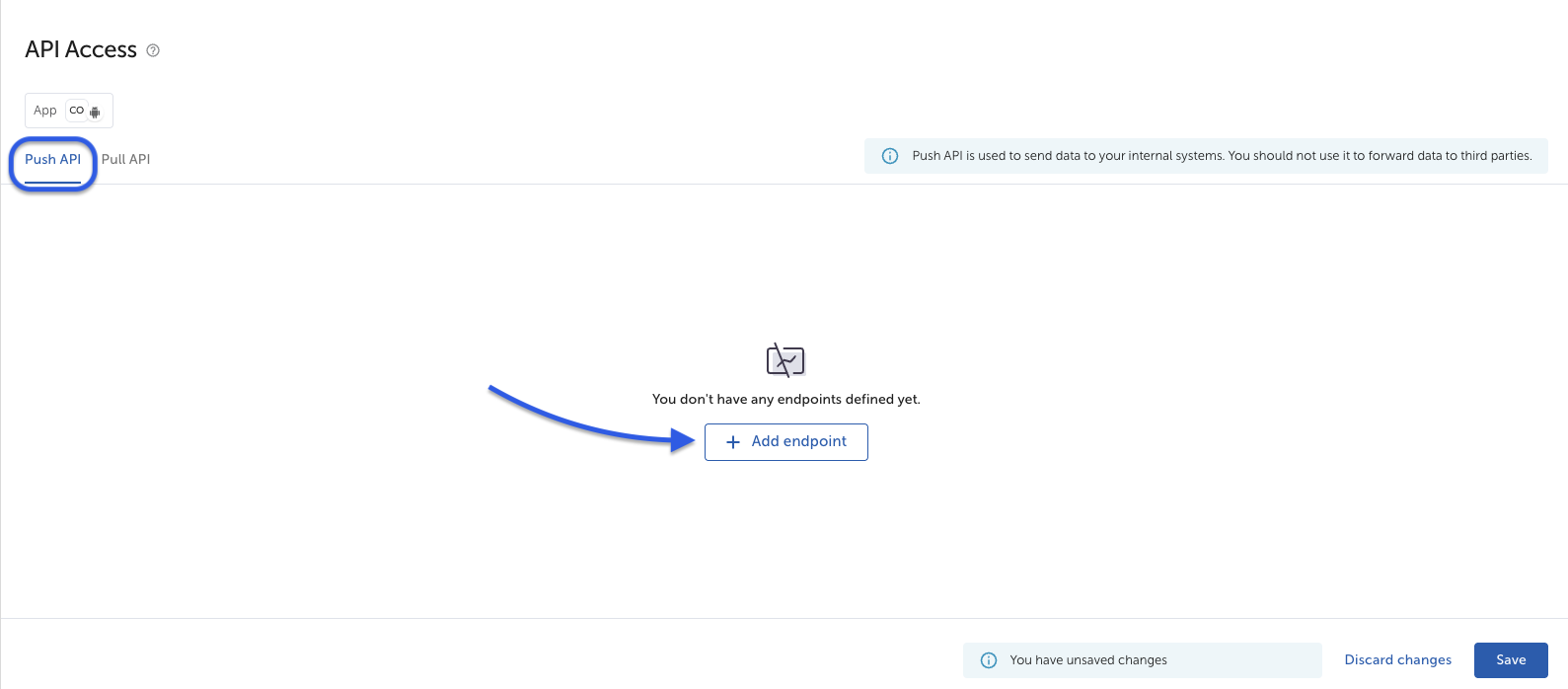
- Select + Add Endpoint and make sure you are on the Push API tab.
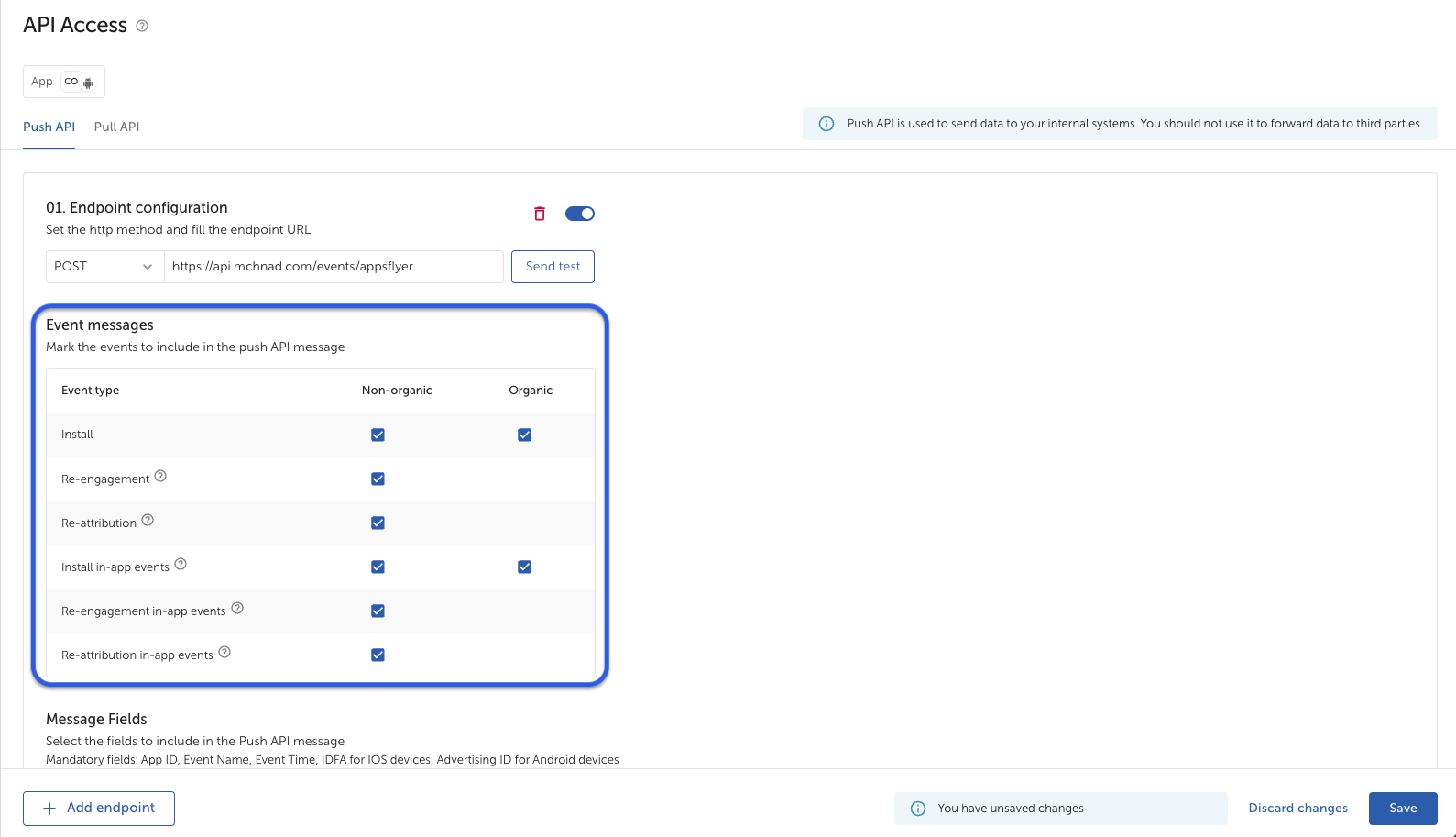
- Select POST.
- Enter the URL:
- https://api.mchnad.com/events/appsflyer
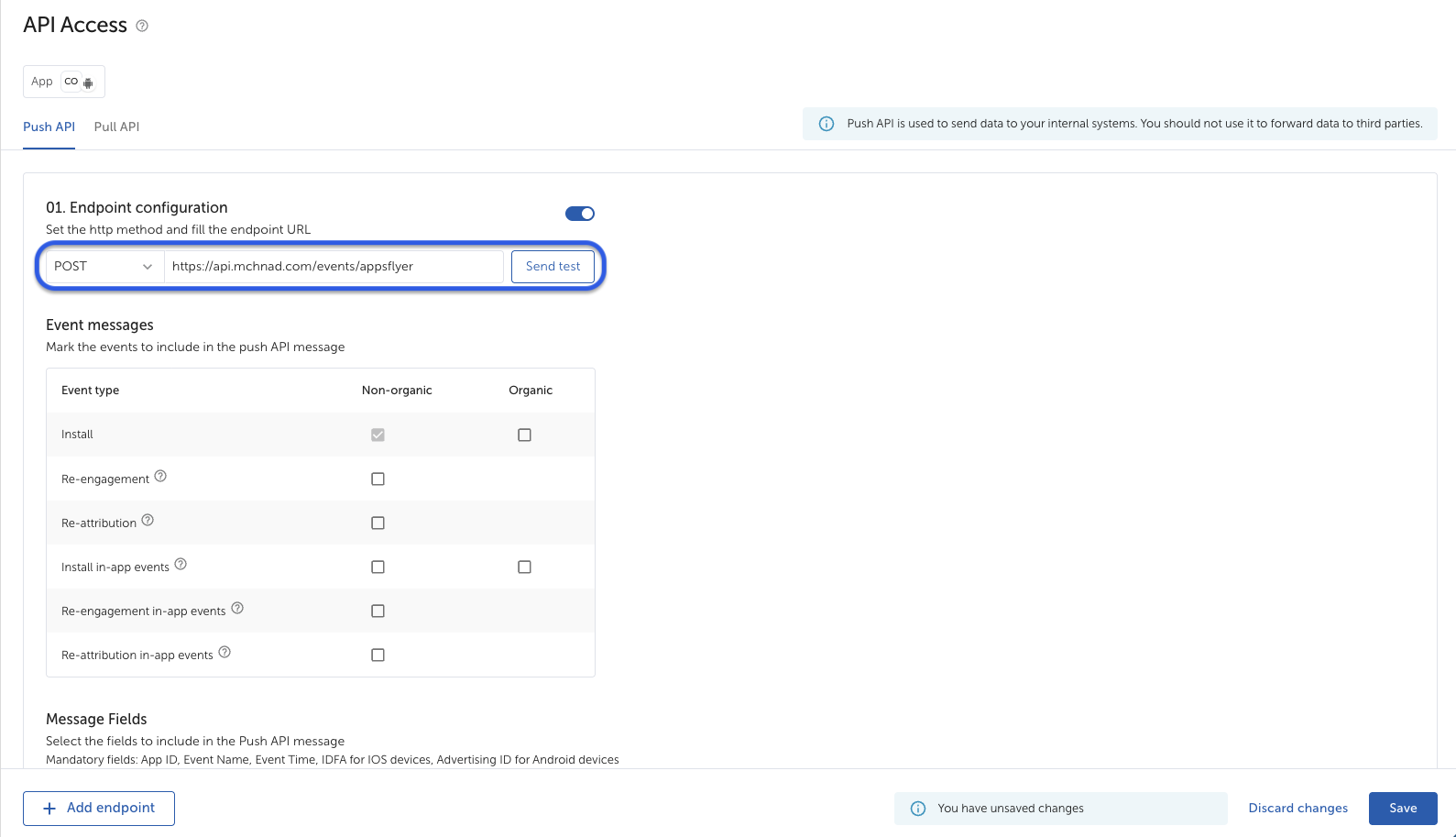
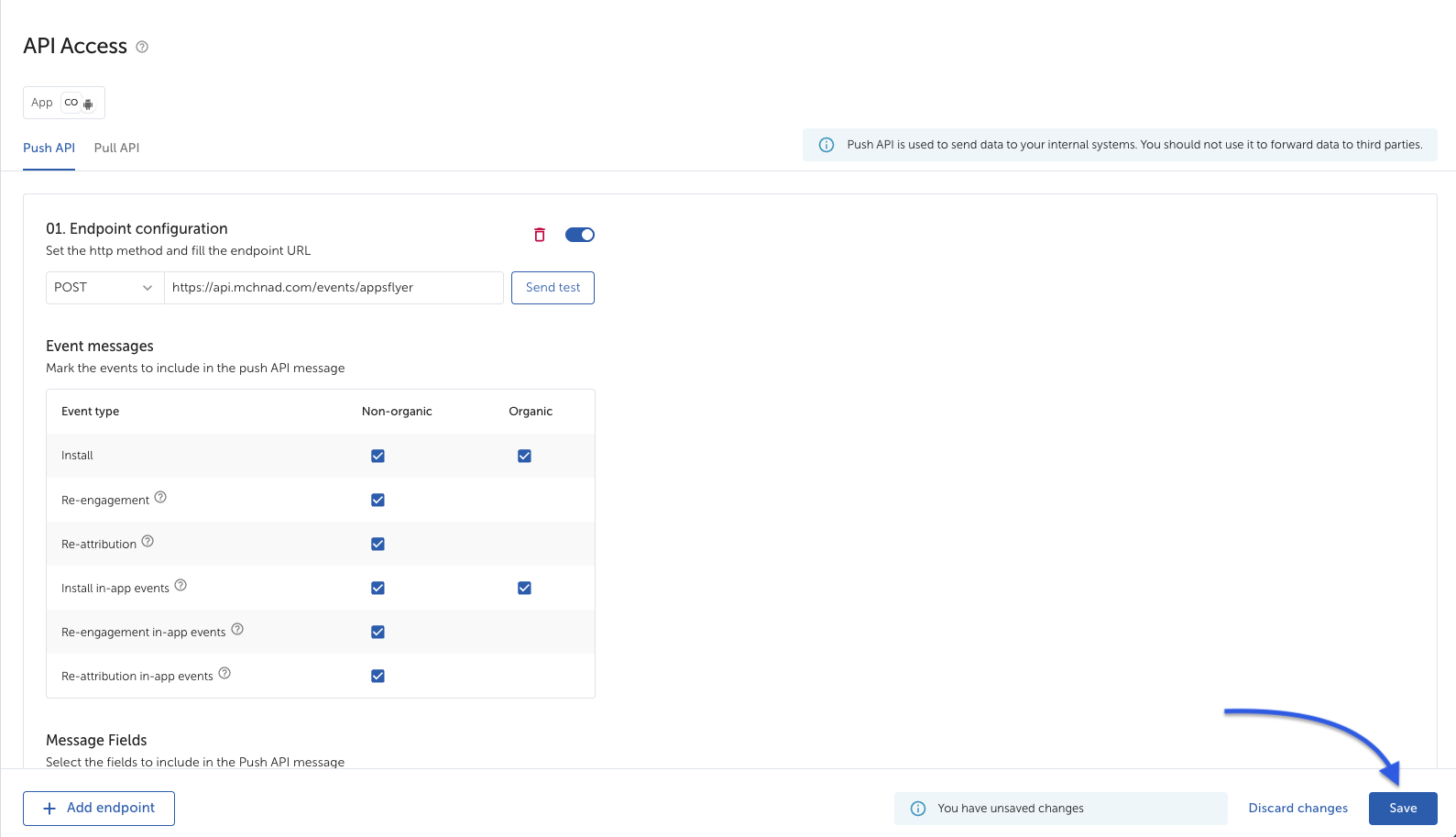
- In the Event messages section, make sure that all of the Event type boxes are selected (Non-organic & Organic).
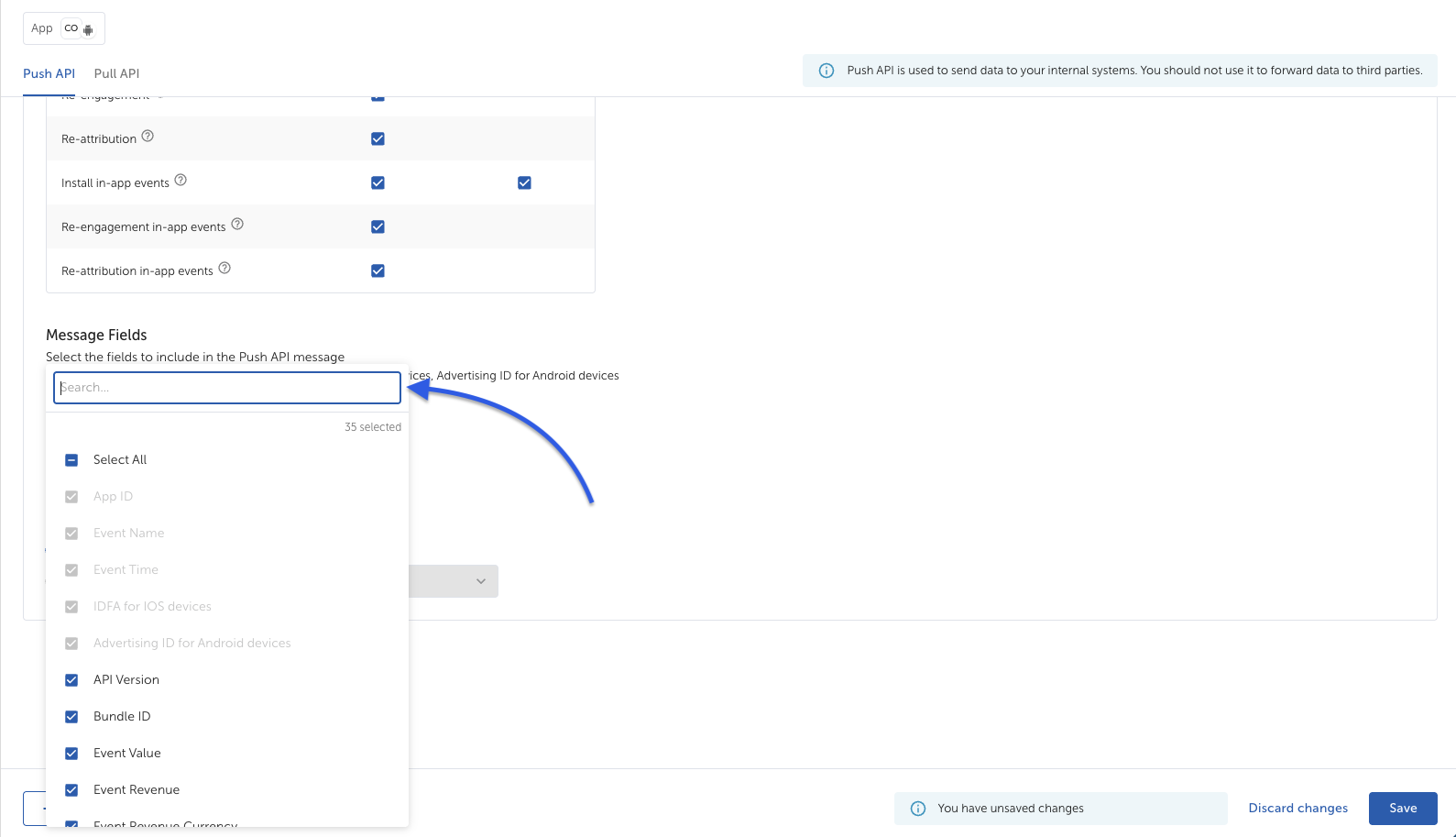
- Scrolling down to the Message Fields, it is required to select the IP, User Agent, Country Code, and App Name fields. These fields are not selected by default.
- Click Save.